

If you’re a runner who hates the plugged-up feeling of traditional earbuds, or you’ve grown tired of constantly adjusting them mid-stride, you’ve likely started researching bone conduction headphones for running. The appeal is obvious: they leave your ears completely open, letting you hear traffic, approaching cyclists, and your own surroundings while still delivering your favorite playlists. But with so many models on the market, choosing the right pair can feel overwhelming. This guide breaks down exactly what to look for, the trade-offs you need to accept, and how to match a pair to your specific running habits so you can make a confident decision without wasting money.
How Do Bone Conduction Headphones Work?
Unlike traditional earbuds that push sound through your ear canal, bone conduction headphones sit on your cheekbones, just in front of your ears. They use transducers to send vibrations through your skull directly to your inner ear, bypassing the eardrum entirely. This is why your ears remain completely open you can hear your music and your environment simultaneously.
This design makes them particularly valuable for outdoor runners who need situational awareness. However, it’s important to understand the trade-off: because they don’t create a seal in your ear canal, bass response is noticeably weaker than what you’d get from in-ear headphones. You’re trading audio immersion for safety and comfort, and for most runners, that’s a worthwhile exchange.
What to Look for in Bone Conduction Headphones for Running
Not all bone conduction headphones are created equal. When you’re comparing options, focus on these five critical factors that directly impact your running experience.
Fit and Stability During Movement
The most important factor is how well the headphones stay put. A pair that shifts or bounces while you run will drive you crazy. Look for a wrap-around design that hooks securely over your ears and rests snugly against your cheekbones. The band should be lightweight typically under 35 grams so it doesn’t feel heavy during long runs. If you wear glasses or sunglasses, check whether the headphones create pressure points where the frames sit. Some models have adjustable tension, which helps accommodate different head shapes and eyewear.
Battery Life and Charging Speed
Battery life varies significantly between models. For most runners, a pair that lasts 6–8 hours is sufficient for a week of daily runs. If you’re training for an ultramarathon or regularly run for more than two hours at a time, look for models with 10+ hours of playback. Also consider charging speed some models offer a quick-charge feature that gives you an hour of playback from just a 10-minute charge. This is a lifesaver when you forget to charge overnight.
Water and Sweat Resistance Rating
Running means sweating, and sweat can damage electronics over time. Check the IP rating before purchasing. An IP55 rating means the headphones are protected against dust and low-pressure water jets sufficient for most runners. IP67 or IP68 ratings offer even better protection, meaning they can withstand immersion in water. If you run in heavy rain or live in a humid climate, don’t settle for anything below IP55. Also note that sweat contains salts that can corrode charging contacts, so look for models with covered or corrosion-resistant charging ports.
Bluetooth Connectivity and Multipoint Support
Most modern bone conduction headphones use Bluetooth 5.0 or newer, which provides stable connections and better power efficiency. If you frequently run with both your phone and a smartwatch, look for multipoint connectivity this lets you pair two devices simultaneously and switch between them seamlessly. Also check the Bluetooth codec support. While most models use standard SBC or AAC codecs, some support aptX for better audio quality with Android devices. For running, however, codec support matters less than connection stability.
Controls and Call Quality for Active Use
Selecting the ideal running headphones requires prioritizing physical tactile buttons over touch-sensitive surfaces, as sweaty fingers routinely compromise touch controls mid-stride, while large, easily locatable buttons ensure seamless track adjustments and volume control without breaking your pace. Furthermore, if you frequently take calls on the go, evaluating microphone performance is essential; premium models equipped with dual microphones and advanced noise-reduction technology effectively filter out intrusive wind and traffic sounds to maintain crystal-clear audio clarity, complementing versatile everyday listening setups like those explored in our guide to affordable commuting headphones.
Comparing Bone Conduction vs. Traditional Running Earbuds
Before committing to bone conduction, it’s worth understanding how they stack up against traditional running earbuds. This comparison will help you decide which technology fits your priorities.
| Factor | Bone Conduction | Traditional In-Ear Earbuds |
|---|---|---|
| Sound Quality | Weaker bass, decent mids and highs | Fuller sound, stronger bass |
| Situational Awareness | Excellent ears remain open | Poor unless transparency mode is used |
| Comfort for Long Runs | No ear canal pressure, less fatigue | Can cause discomfort after 1–2 hours |
| Fit Stability | Secure wrap-around design | Varies; may need frequent adjustments |
| Noise Isolation | None you hear everything | Good to excellent, depending on tips |
| Battery Life | Generally 6–10 hours | Generally 5–9 hours with ANC off |
| Best For | Road runners, trail runners, safety-conscious runners | Gym runners, treadmill runners, audio enthusiasts |
If you primarily run on treadmills or in a gym, traditional earbuds with noise cancellation might serve you better. But if you run outdoors, especially on roads or shared paths, the situational awareness that bone conduction provides is a genuine safety advantage that no amount of audio quality can replace.
Common Mistakes When Choosing Bone Conduction Headphones for Running
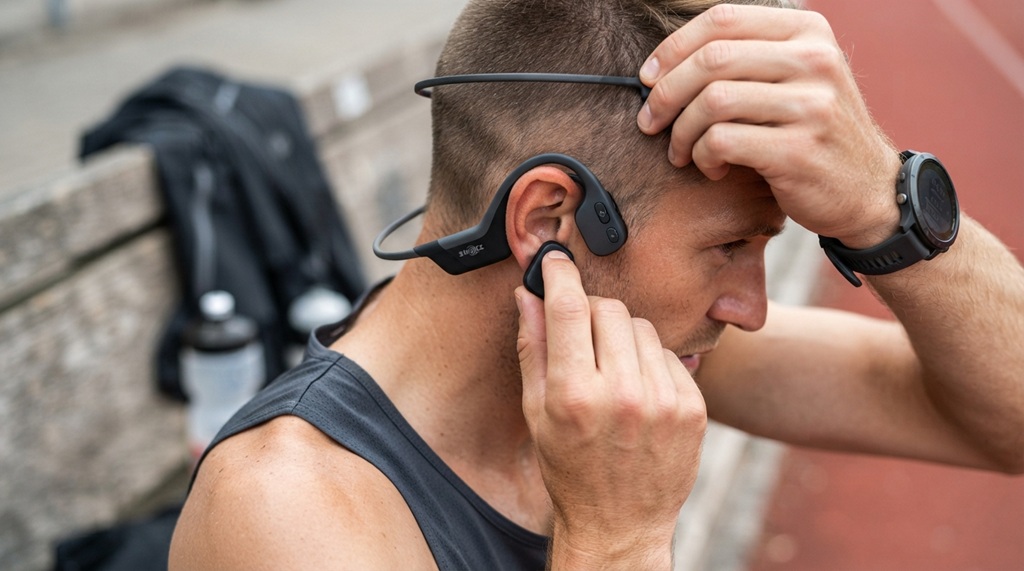
Many runners make avoidable mistakes when purchasing their first pair. Here are the most common ones and how to avoid them.
Ignoring the Fit with Your Specific Head Shape
Bone conduction headphones rely on consistent contact between the transducers and your cheekbones. If the fit is loose, the sound quality drops dramatically, and you’ll hear more vibration than music. Try before you buy whenever possible. If you’re shopping online, check the return policy and pay attention to reviews from people who mention their head size or whether they wear glasses.
Choosing Based on Price Alone
Budget models under $50 often have weak transducers, poor battery life, and flimsy build quality. They might work fine for casual listening but fail during intense runs. Conversely, the most expensive models aren’t always the best for your needs. Focus on the features that matter most for running fit, battery, and water resistance rather than brand prestige or extra features you’ll never use.
Overlooking Wind Noise Performance
Wind noise is a significant issue for outdoor runners, but it’s rarely mentioned in product descriptions. Because bone conduction headphones don’t seal your ears, wind can create a rushing sound that competes with your audio. Some models handle this better than others through their design and microphone placement. Look for reviews that specifically mention wind noise during running, not just during casual walking.
How to Test Bone Conduction Headphones Before Buying
If you’re serious about finding the right pair, here’s a practical testing routine you can use in a store or immediately after receiving a pair you ordered online.
- Check the fit while moving: Put the headphones on and shake your head vigorously from side to side and up and down. They should stay firmly in place without needing adjustment.
- Test with your sunglasses or hat: Wear the accessories you typically use during runs. Make sure the headphones don’t interfere with them or create uncomfortable pressure points.
- Listen at moderate volume: Turn the volume to about 60% and play a song with clear vocals and bass. Walk around and see if the sound remains consistent. If you hear rattling or vibration, the fit isn’t secure enough.
- Simulate sweat: If you’re testing in a store, this is hard to do. At home, run for 20–30 minutes and see how the headphones feel as you start to sweat. Some models become slippery when wet.
- Make a test call: Call someone while walking outside. Ask them if they can hear you clearly over background noise. This is especially important if you take calls during runs.
Battery and Charging Considerations for Long Runs
Battery anxiety is real, especially for runners who train for marathons or ultra-distances. Most bone conduction headphones for running offer between 6 and 10 hours of playback, which is sufficient for the vast majority of training runs. However, if you’re planning a race that will take you 4–6 hours, you need to consider how the headphones perform at the end of their battery cycle.
Some models reduce volume or disable certain features when the battery is low, which can be frustrating during a race. Look for models that maintain consistent performance until the battery is nearly depleted. Also, consider how the headphones charge proprietary magnetic charging cables are common, and losing them means you can’t charge your headphones until you order a replacement. USB-C charging is becoming more common and is far more convenient.
Frequently Asked Questions
Are bone conduction headphones safe for running on roads?
Yes, they’re generally considered safer than traditional earbuds because they don’t block your ear canal. You can hear traffic, cyclists, and other environmental sounds while still listening to audio. However, you should keep the volume at a moderate level around 60% or lower so you can actually hear what’s happening around you.
Can bone conduction headphones cause hearing damage?
Like any audio device, they can cause hearing damage if used at excessive volumes for extended periods. The vibrations still stimulate your inner ear, and prolonged exposure to loud sound regardless of how it’s delivered can damage your hearing. Follow the same volume guidelines you would with traditional headphones.
Do bone conduction headphones work if you have hearing loss?
They can be helpful for people with certain types of hearing loss, particularly conductive hearing loss where the outer or middle ear is damaged. However, they won’t help with sensorineural hearing loss, which involves damage to the inner ear or auditory nerve. If you have hearing concerns, consult an audiologist before purchasing.
How long do bone conduction headphones typically last?
With proper care, most quality models last 2–3 years of regular use. The most common failure points are battery degradation and sweat damage to the charging port. Choosing a model with a higher IP rating and wiping down the headphones after sweaty runs can significantly extend their lifespan.
Can you wear bone conduction headphones with a cycling helmet?
Yes, most bone conduction headphones are compatible with cycling helmets because they don’t cover your ears. The wrap-around design sits outside the helmet straps, and the open-ear design means you won’t experience pressure or discomfort. This makes them a popular choice for cyclists as well as runners.
Conclusion
Selecting the right bone conduction headphones for running comes down to understanding your priorities: safety, comfort, battery life, and fit. The technology isn’t perfect you’ll sacrifice bass response and noise isolation but the situational awareness you gain is invaluable for outdoor running. Focus on finding a pair that fits securely, resists sweat and lasts long enough for your longest training runs. Start by identifying your budget and the features that matter most to you, then test a few models using the routine outlined above. With the right pair, you’ll enjoy your music without ever losing touch with your surroundings.